---
title: "Conversations"
description: "Display messages, replies and a composer."
---

## Example

<div className="pattern-example">
<div>

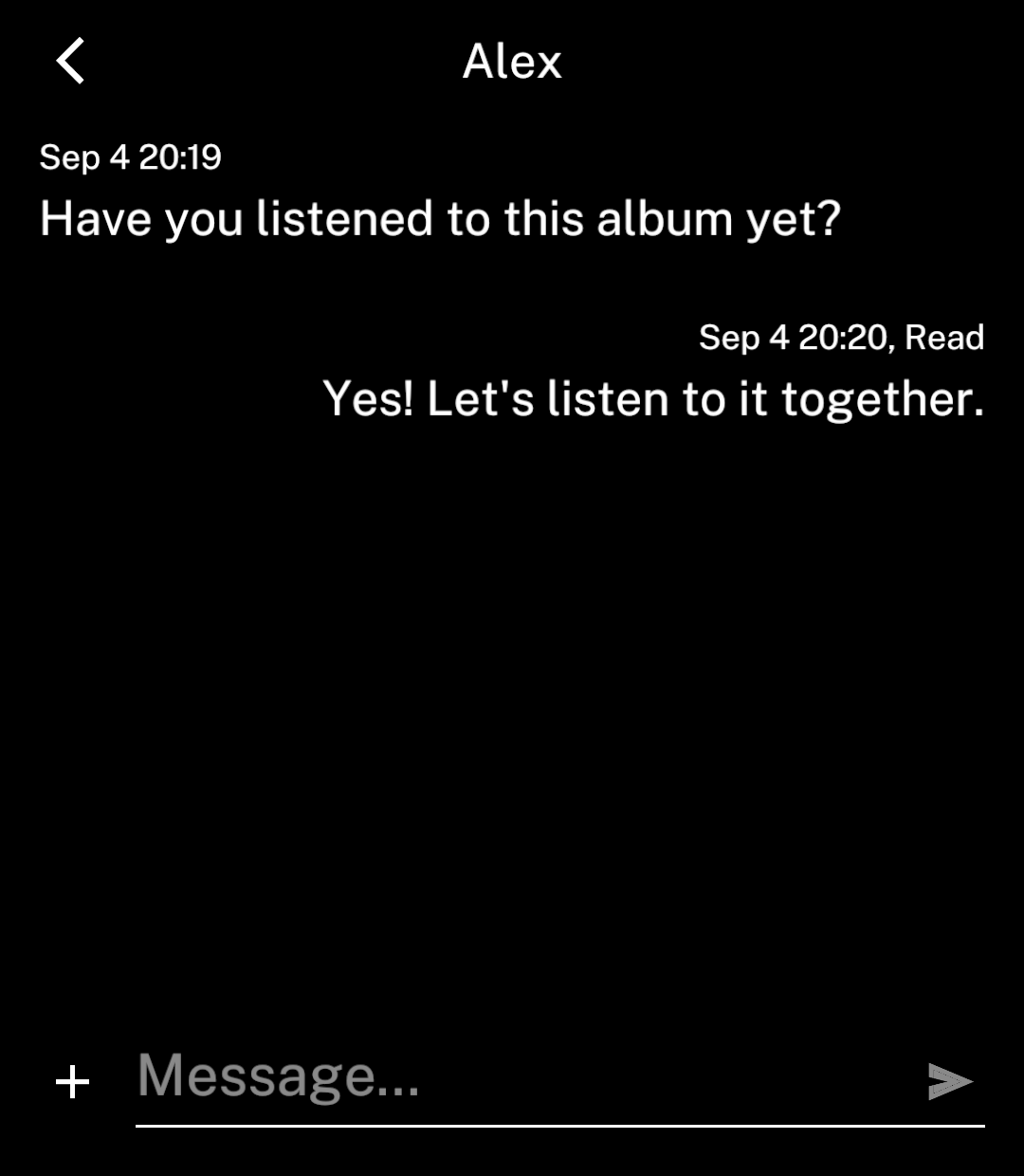
<p><code>ConversationScreen</code> provides the message list, composer and actions page.</p>

```tsx app/index.tsx
import { useState } from "react";
import { ConversationScreen, type ConversationMessage } from "ink";

export default function Chat() {
  const [messages, setMessages] = useState<ConversationMessage[]>([
    { id: "1", text: "Have you listened to this album yet?",
      timestamp: Date.now() },
  ]);
  const [draft, setDraft] = useState("");

  return <ConversationScreen
    title="Alex"
    messages={messages}
    draft={draft}
    onDraftChange={setDraft}
    onSend={({ text, replyTo }) => {
      setMessages(current => [...current, {
        id: String(Date.now()), text, timestamp: Date.now(),
        outgoing: true,
        reply: replyTo ? {
          author: replyTo.outgoing ? "You" : "Alex",
          text: replyTo.text || "Photo",
        } : undefined,
      }]);
      setDraft("");
    }}
  />;
}
```
<p>This example adds messages locally. Connect <code>onSend</code> to your messaging service to send them.</p>

</div>
<div className="pattern-preview">
<img src="/images/patterns/conversation.png" alt="An incoming message and an outgoing reply above the composer." width="1080" height="1240" />
</div>
</div>

## Group chats

<div className="pattern-example">
<div>

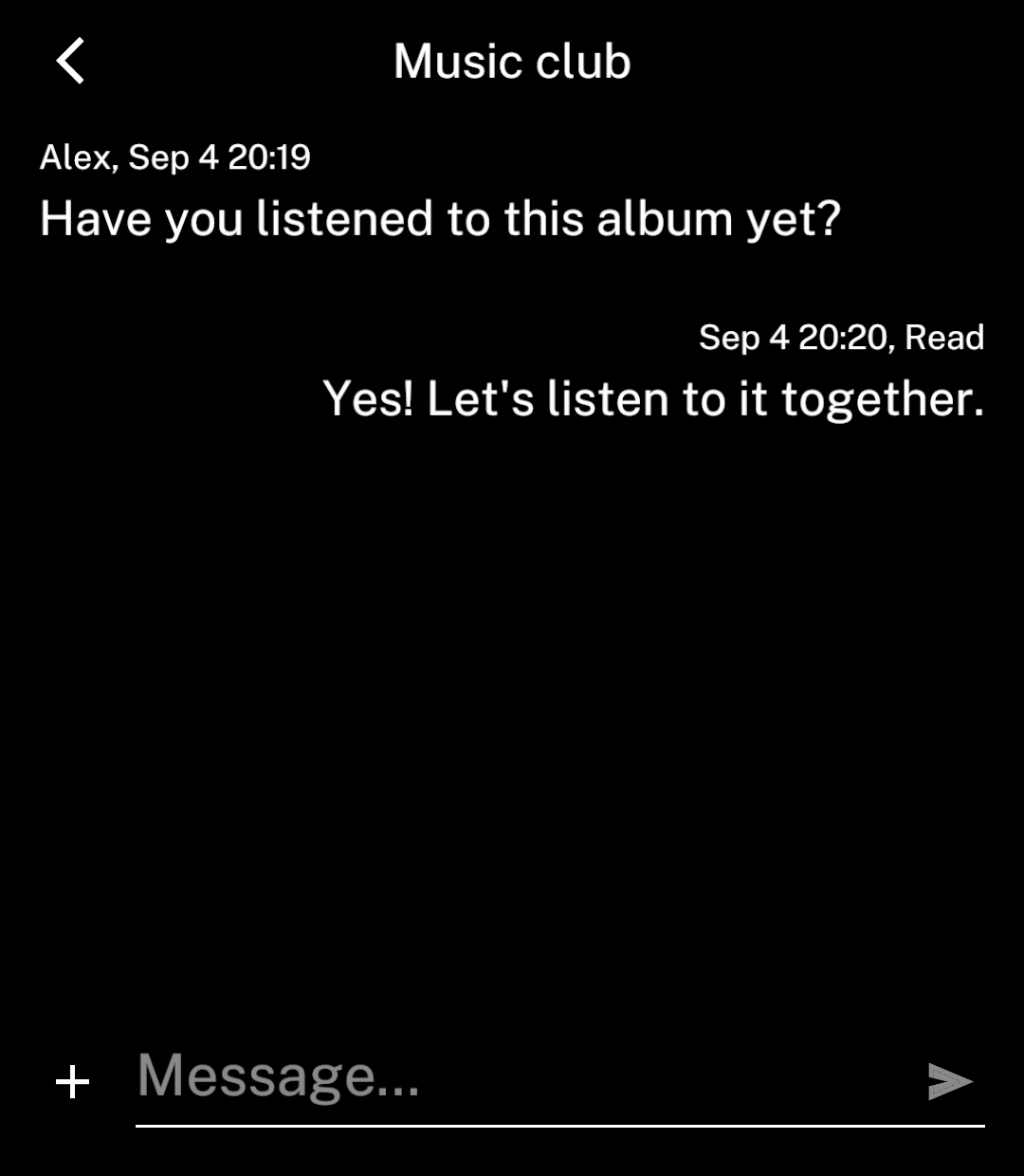
<p>Set <code>group</code> and include <code>author</code> on incoming messages. Outgoing messages omit the author.</p>

```tsx
<ConversationScreen group title="Music club"
  messages={messages} draft={draft}
  onDraftChange={setDraft} onSend={send} />
```

</div>
<div className="pattern-preview">
<img src="/images/patterns/conversation-group.png" alt="A group chat showing Alex beside an incoming message." width="1080" height="1240" />
</div>
</div>

## Replies

<div className="pattern-example">
<div>

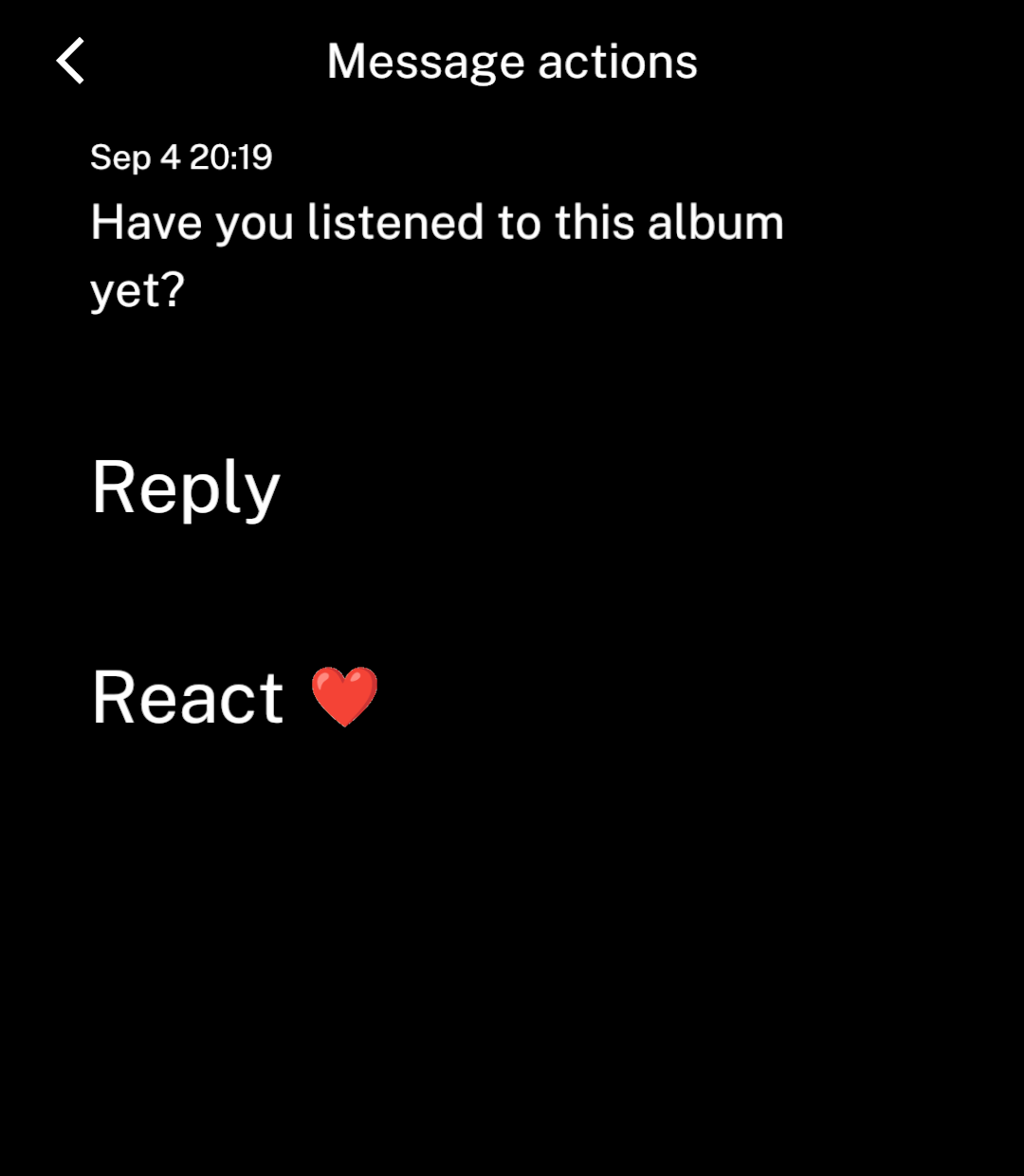
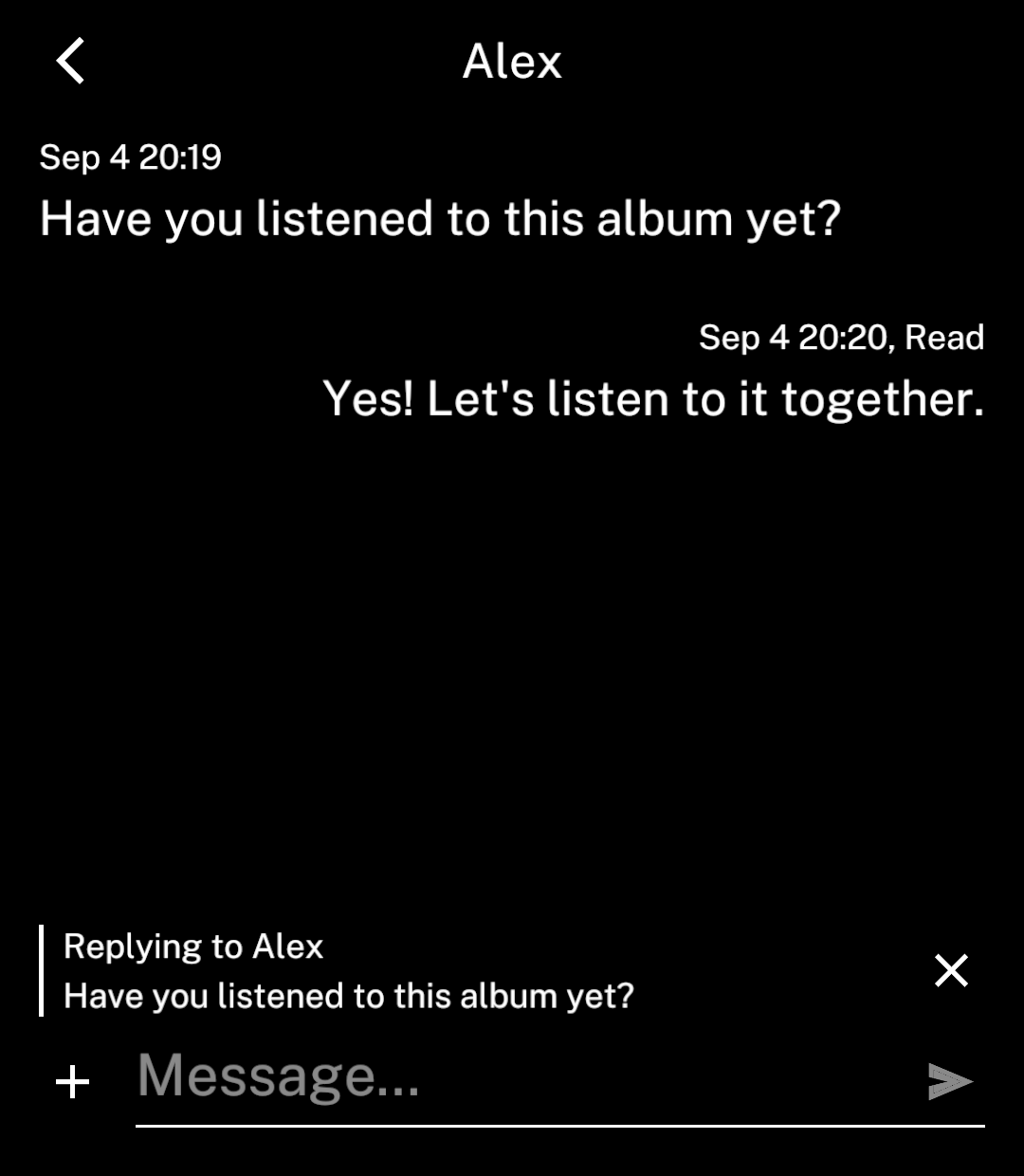
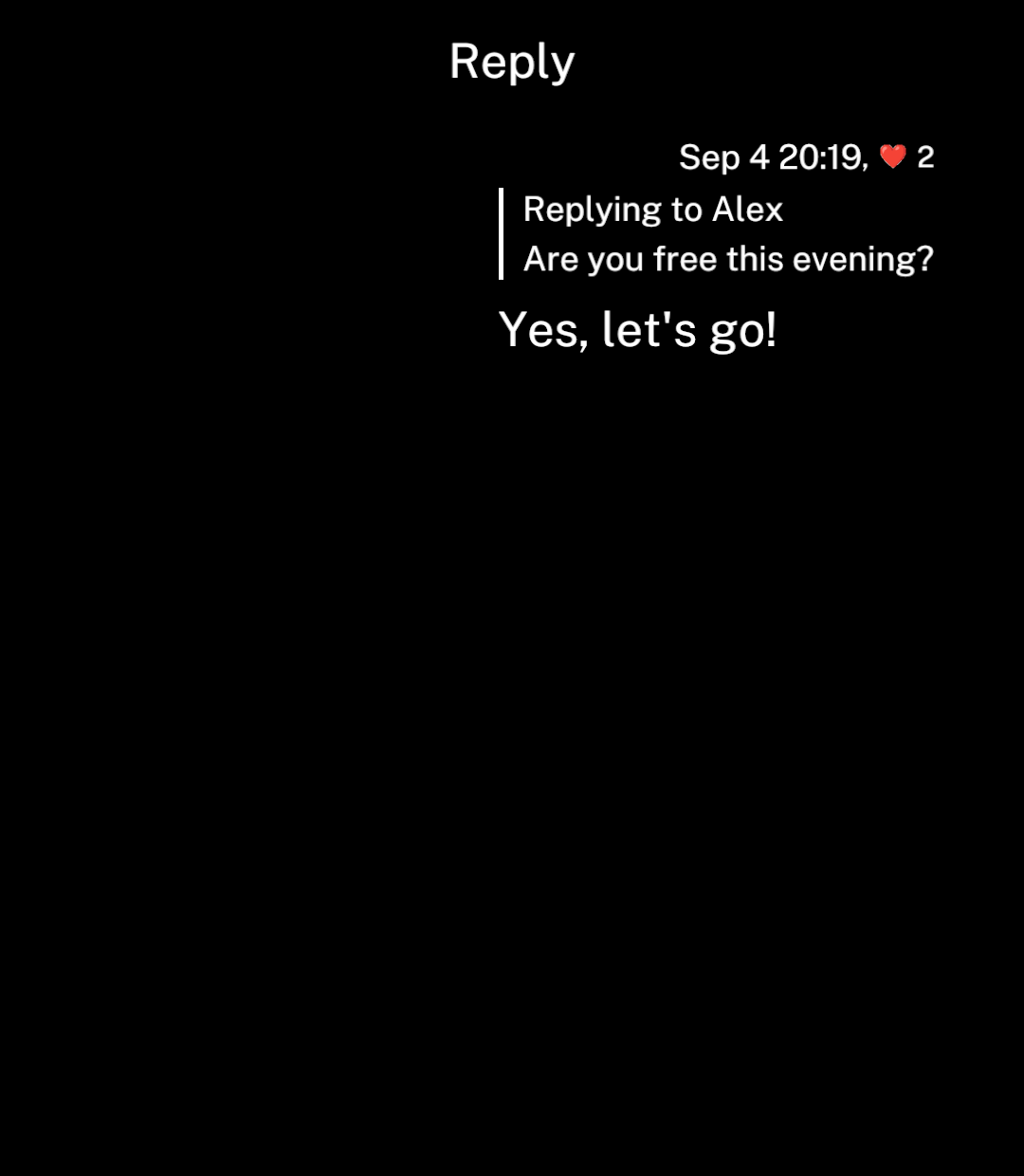
<p>Long-press a message or image, then choose Reply. Ink returns to the conversation and shows a reply banner.</p>
<p><code>onSend</code> receives <code>&#123; text, replyTo &#125;</code>. Add the outgoing message, save its reply preview and clear the draft. Ink keeps the keyboard open and scrolls to the bottom.</p>

</div>
<div className="pattern-preview">
**Actions**

<img src="/images/patterns/conversation-actions.png" alt="A message preview with Reply and a custom reaction action." width="1080" height="1240" />

**Replying**

<img src="/images/patterns/conversation-replying.png" alt="The reply banner above the composer." width="1080" height="1240" />

**Sent reply**

<img src="/images/patterns/message-reply.png" alt="An outgoing message quoting an earlier message, with reactions in its information line." width="1080" height="1240" />

</div>
</div>

## Images

<div className="pattern-example">
<div>

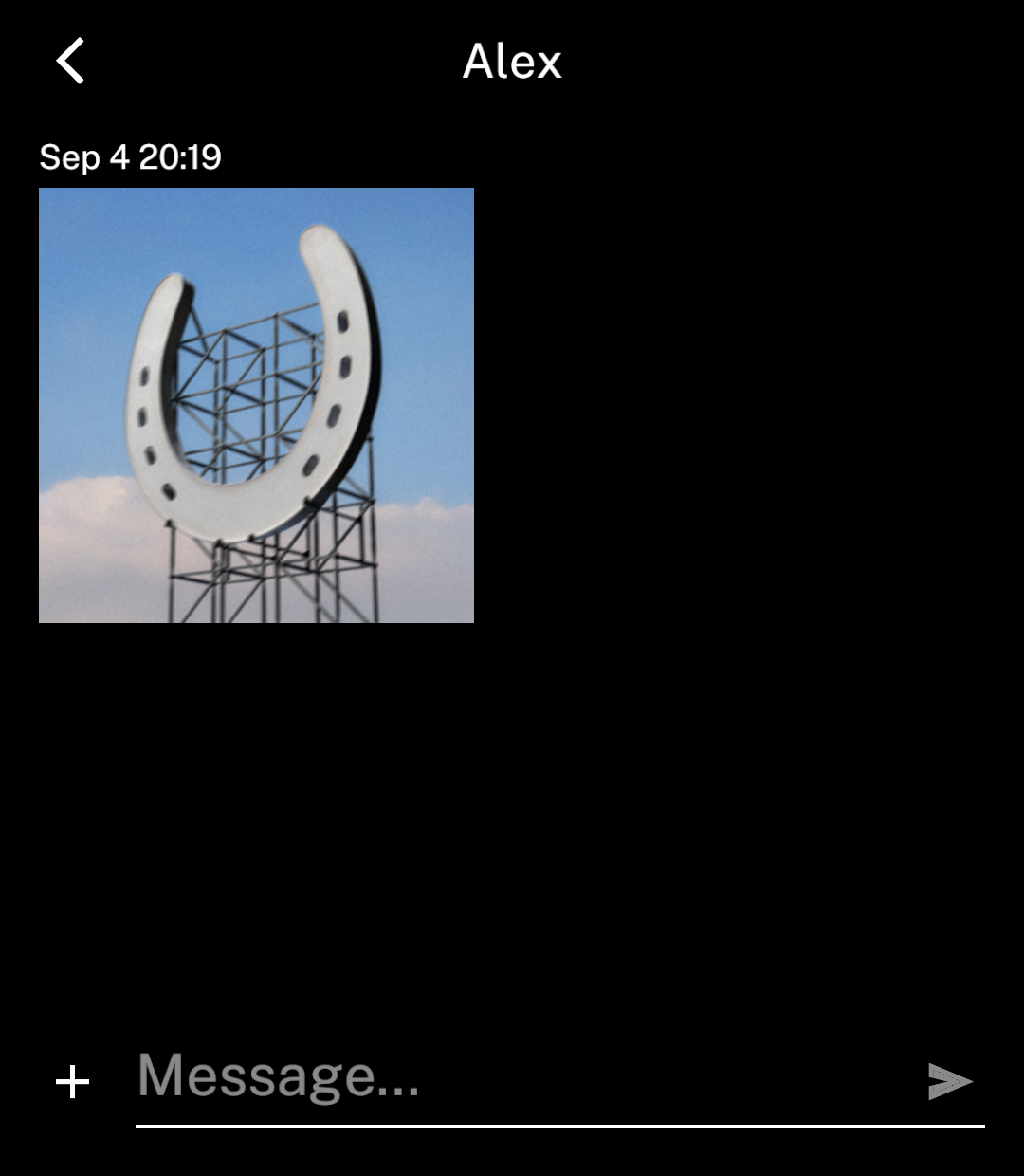
<p>Add <code>image</code> with a source and dimensions. Text is optional.</p>
<p>Tap an image to open it in the full content area with zoom. Back returns to the conversation at the same scroll position. Set <code>onImagePress</code> to replace this behaviour.</p>

```tsx
{
  id: "photo",
  timestamp: Date.now(),
  image: { src: artwork, width: 180, height: 180 },
}
```

</div>
<div className="pattern-preview">
<img src="/images/patterns/conversation-image.png" alt="An incoming image-only message." width="1080" height="1240" />
</div>
</div>

## Message status

<div className="pattern-example">
<div>

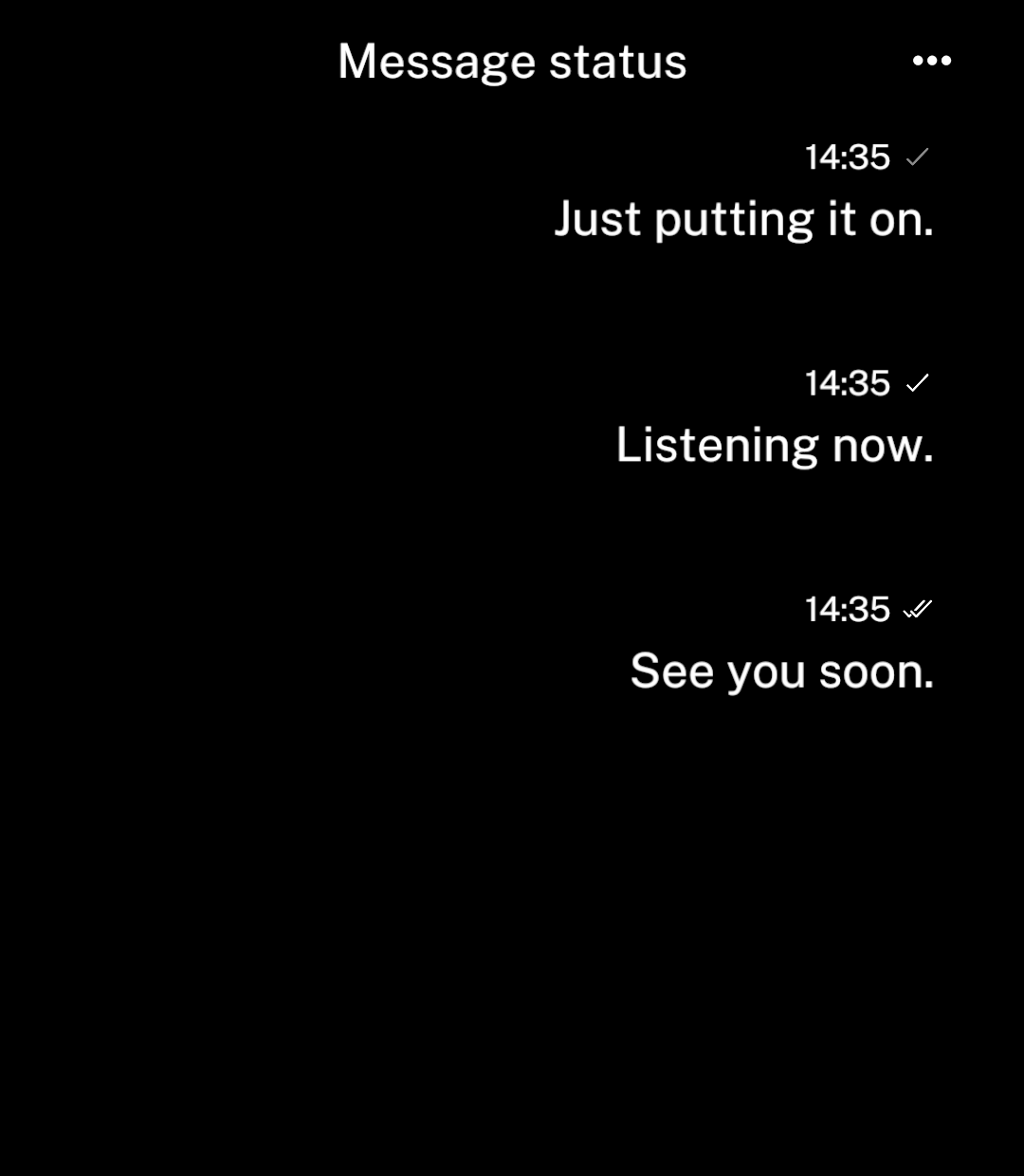
<p>Set <code>status</code> on outgoing messages.</p>

| Status | Display |
| --- | --- |
| `sending` | Single tick in inactive grey |
| `sent` | Single tick |
| `delivered` | Double tick |
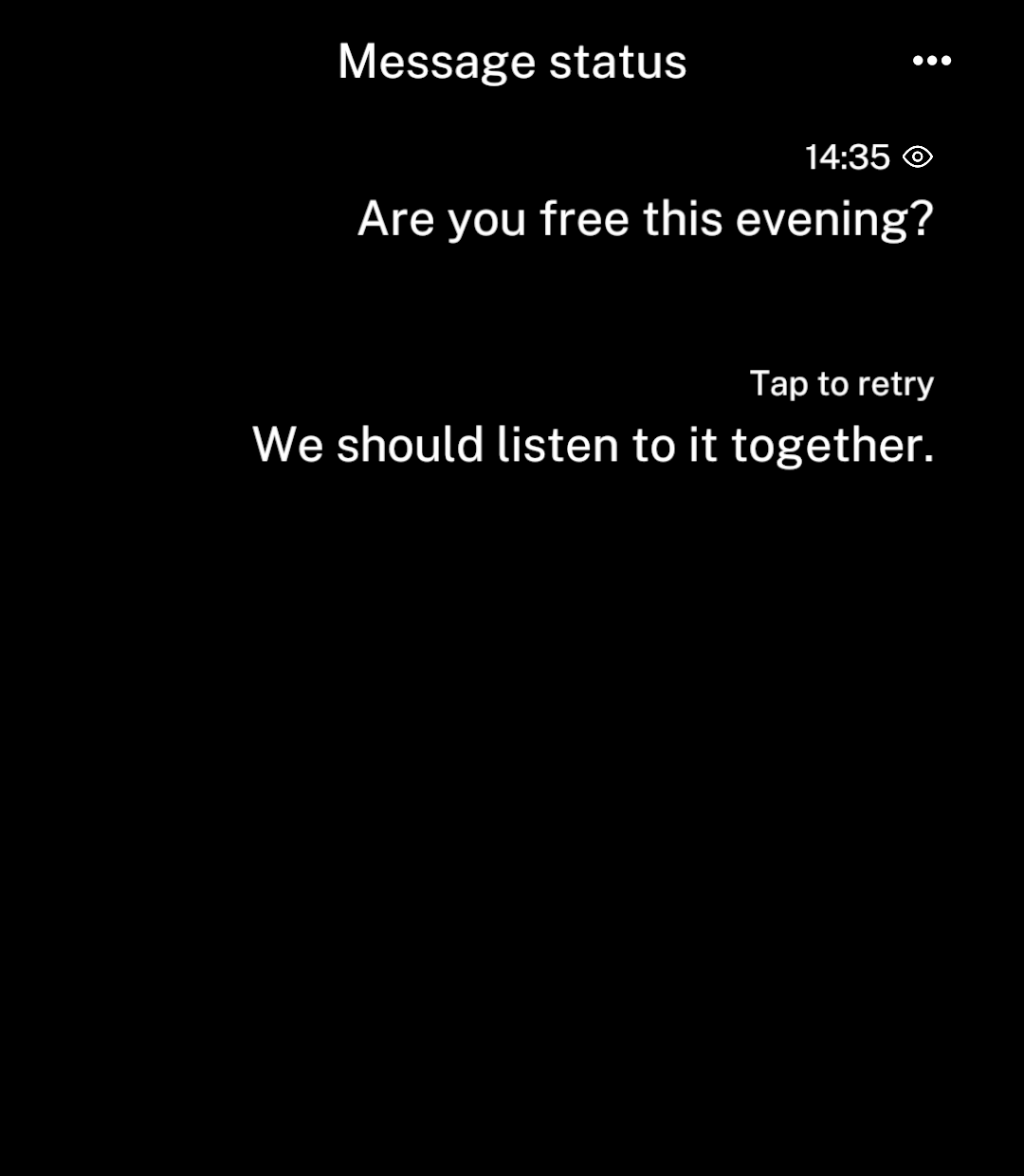
| `read` | Eye |
| `failed` | “Tap to retry” when `onRetry` is supplied; otherwise “Could not send” |

```tsx
<Message text="See you soon" timestamp={Date.now()}
  outgoing status="delivered" />
```

<p>Failure text replaces the timestamp. Failed messages have no icon.</p>

</div>
<div className="pattern-preview">
**Sending and delivery**

<img src="/images/patterns/message-status.png" alt="Messages showing sending, sent and delivered states." width="1080" height="1240" />

**Read and failed**

<img src="/images/patterns/message-status-end.png" alt="Messages showing read and failed states." width="1080" height="1240" />

</div>
</div>

## Message details

Every message needs a stable `id` and a `timestamp` in milliseconds since the Unix epoch. Ink shows local time for today and adds the month and day for older messages. `reactions` adds text to the same information line.

Use `actions(message)` for extra message actions, `onAttach` for the plus button, and `onDoubleTap` for double taps. Ink returns to the chat before running a custom action.

Set `rightAction={{ icon, onPress }}` to add a header action, as with [Screen](/screens).

`onLoadOlder` returns a promise and prepends older messages; `hasOlder` says whether more remain. Ink loads history and nearby images ahead of view, preserving scroll position and momentum.

`loading` shows initial loading content; `sending` disables the send action.

`Message` is also available separately for custom screens.

## Links

<div className="pattern-example">
<div>

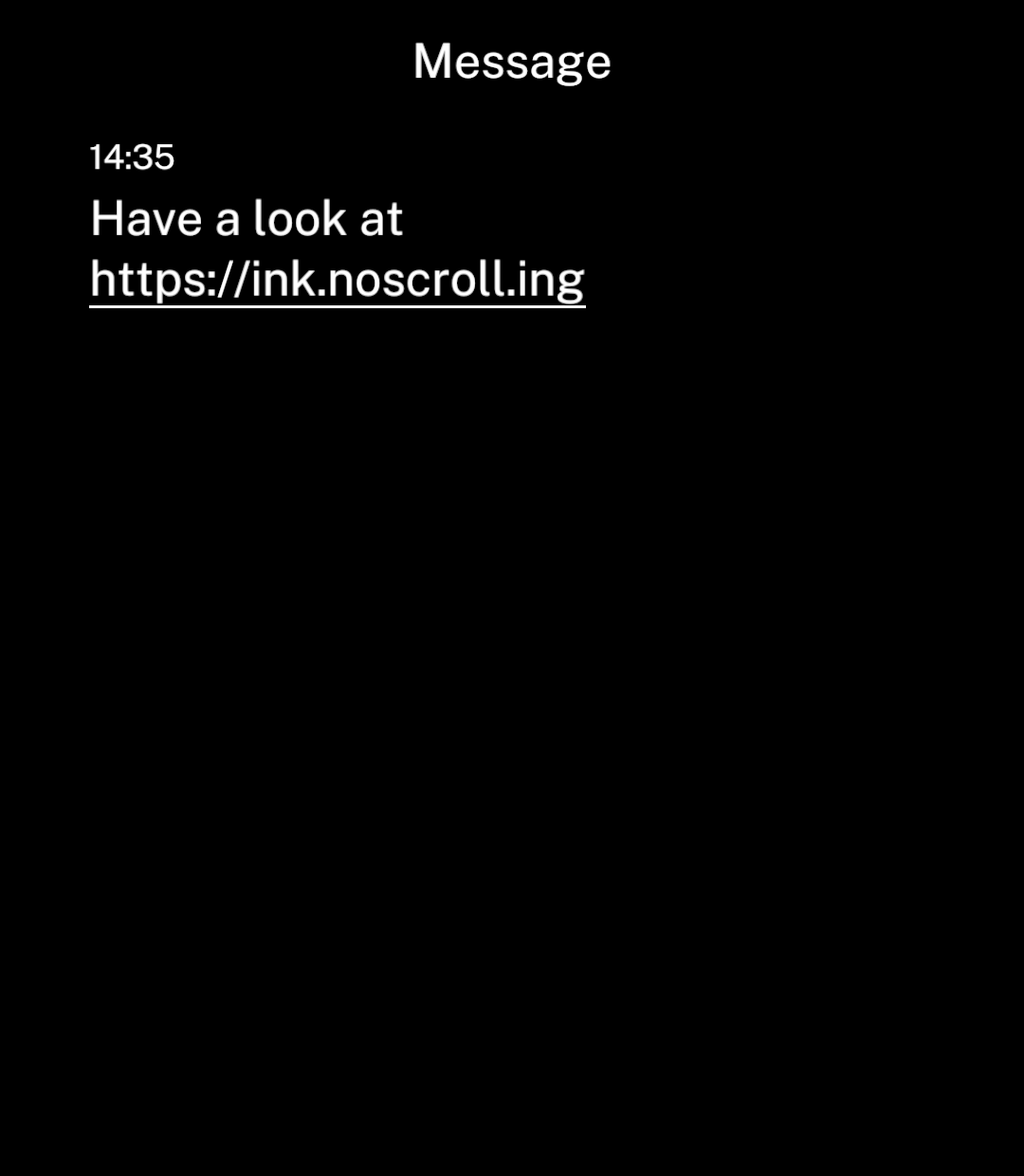
<p>Messages detect and underline links automatically. Tapping opens the in-app browser, or the default browser if unavailable. Set <code>onLinkPress</code> to override this behaviour.</p>

```tsx
import { Message } from "ink";

<Message
  text="Have a look at https://ink.noscroll.ing"
  timestamp={Date.now()}
/>
```

</div>
<div className="pattern-preview">
<img src="/images/patterns/message-link.png" alt="A detected link kept together on its own line below the message text." width="1080" height="1240" />
</div>
</div>

## Link previews

<div className="pattern-example">
<div>

<p>Tapping a card opens its URL. Use <code>onPress</code> for a custom action. Supply the title and image yourself; Ink does not fetch page metadata.</p>

```tsx
import { LinkPreview } from "ink";

<LinkPreview
  url="https://www.youtube.com/watch?v=-zjJpFYtx9s"
  title="Arson as a Christmas Tradition: The Gävle Goat"
  image={{
    src: "https://i.ytimg.com/vi/-zjJpFYtx9s/hqdefault.jpg",
    width: 480,
    height: 360,
  }}
/>
```

</div>
<div className="pattern-preview">
<img src="/images/patterns/link-preview.png" alt="A YouTube preview card with the Gävle Goat thumbnail, video title and domain." width="1080" height="1240" />
</div>
</div>

Use `icon={favicon}` to add a site icon.

In a conversation, pass the same data as the message's `linkPreview`. The card replaces its URL in the displayed text. Tapping uses `onLinkPress` if supplied; long-pressing opens message actions.