

Accounts and sign-in
Sign in with OAuth and manage account sessions.
@ink/auth handles OAuth sign-in, token storage, refresh and sign-out.
Device-code sign-in
Device-code sign-in lets the user authorise the app on another device. Your provider must support device authorisation.
Configure the client
Create account.ts with your provider’s settings:
import { createOAuthClient } from "@ink/auth";

export const account = createOAuthClient({
  id: "music",
  clientId: "public-mobile-client-id",
  tokenEndpoint: "https://accounts.example.com/token",
  scopes: ["library.read"],
  deviceAuthorizationEndpoint: "https://accounts.example.com/device",
});
Keep the same id to restore a saved session. Different IDs keep credentials separate; Ink does not provide an account-switching screen.
Request a code
import { account } from "./account";

const signIn = await account.startDeviceSignIn();| Field | Use |
|---|---|
verificationUri |
URL to open on another device. |
verificationUriComplete |
Optional URL with the user code included. |
userCode |
Code to enter on the provider’s page. |
expiresAt |
When the code expires. |
complete({ signal }) |
Wait for sign-in and save the session. |
Display the code and URL, or turn the URL into a QR code. Ink handles polling, provider requests to slow down, expiry and cancellation.
Wait for authorisation
After displaying the code:
await signIn.complete();Both calls accept { signal } to cancel when leaving the sign-in flow.
Browser sign-in
Configure the client
Set your provider’s endpoints and registered redirect in account.ts:
import { createOAuthClient } from "@ink/auth";

export const account = createOAuthClient({
  id: "music",
  clientId: "public-mobile-client-id",
  authorizationEndpoint: "https://accounts.example.com/authorize",
  tokenEndpoint: "https://accounts.example.com/token",
  redirectUri: "ink-template://oauth/callback",
  scopes: ["library.read"],
});
Set the same redirect in ink.toml:
[auth]
redirect_uri = "ink-template://oauth/callback"
Device-code sign-in does not need these browser settings. Either flow rejects if its required configuration is missing.
Open sign-in
Open sign-in from a user action:
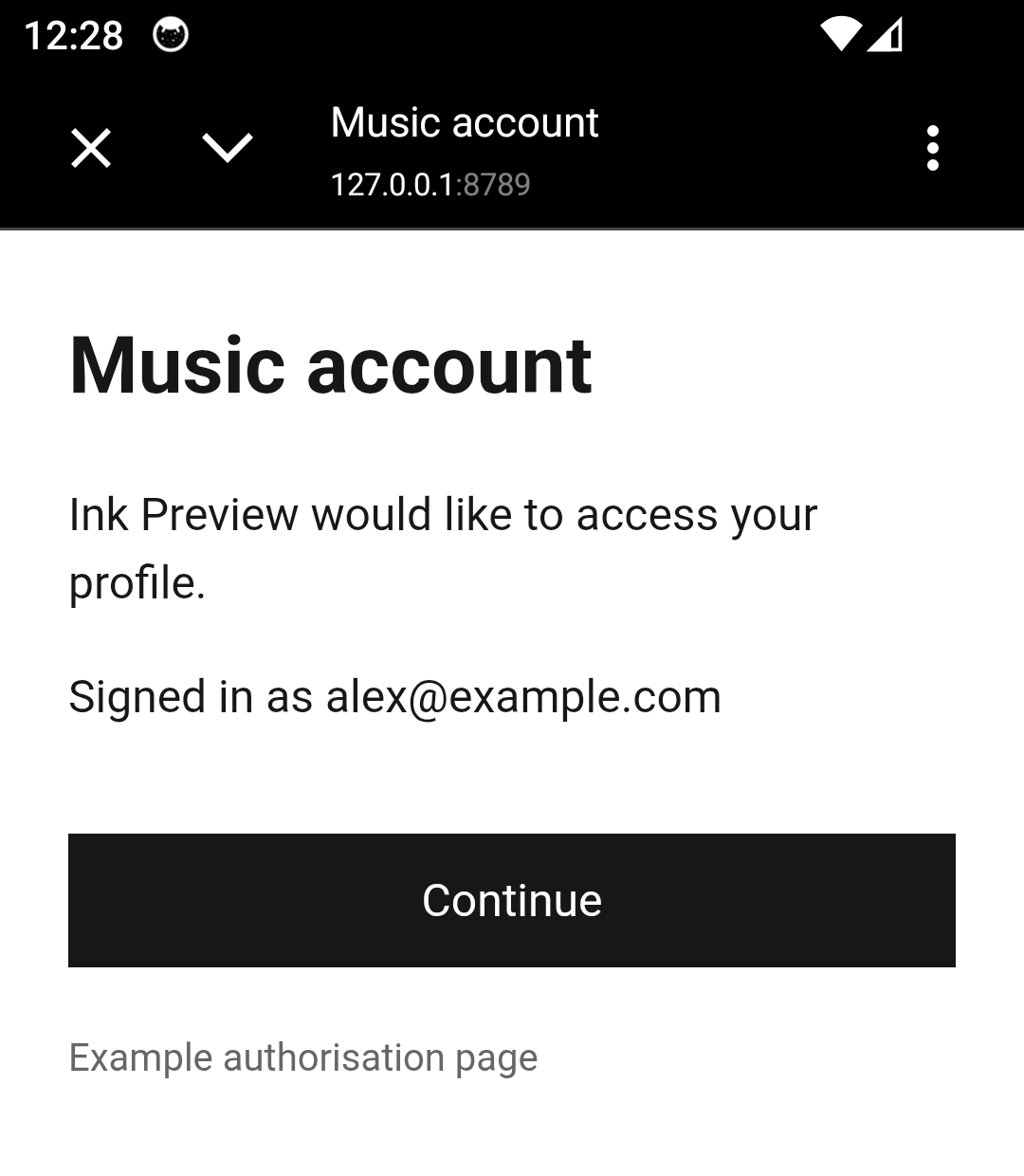
await account.signIn();Ink opens an in-app browser window using Android Custom Tabs. Closing it returns to the same Ink screen. The page content comes from your sign-in provider.
Ink handles the redirect and OAuth security checks, including Proof Key for Code Exchange (PKCE) and state validation.
Browser requirements
Endpoints must use HTTPS. Debug builds also allow HTTP on localhost, 127.0.0.1 and the emulator host 10.0.2.2. Release builds reject these HTTP endpoints.
Custom Tabs uses a separate browser context and keeps the site identity and security controls visible. See OAuth for native apps.
Without a compatible Custom Tabs browser, sign-in reports an unavailable error. There is no external-browser or WebView fallback. Use device-code sign-in if your provider supports it.
Keep client secrets on your server. A mobile app cannot keep them private.
Use the session
Make an authenticated request
import "@ink/network";
import { account } from "./account";

export async function getProfile(signal?: AbortSignal) {
  const token = await account.getAccessToken({ signal });
  const response = await fetch("https://api.example.com/me", {
    headers: { Authorization: `Bearer ${token}` },
    signal,
  });
  if (!response.ok) throw new Error(`Profile unavailable (${response.status})`);
  const profile: unknown = await response.json();
  return profile;
}
Validate the returned profile before using it.
Ink refreshes expired tokens automatically. Overlapping calls share one refresh; cancelling one caller does not cancel a refresh needed by another.
Read sign-in state
useSnapshot(account) returns loading, ready or error. Ready data has a status of signed-out or signed-in. Tokens and profiles are not included.
Use a session in a worker
A worker can import the same client configuration to read its saved session from Secure store. If sign-in is needed, it reports that outcome without opening a screen.
An older refresh or pending sign-in cannot overwrite a newer session or undo sign-out. This applies across the app and its workers, but not separate Android processes.
Sign out
import { account } from "./account";

await account.signOut();
Sign-out cancels session work and removes local credentials, even if remote token revocation fails. Clear personalised caches, queued changes and downloads separately.
Handle provider-specific exchanges and remote token revocation in your app’s provider integration.