

Navigation
Open pages, pass values and arrange tabs.
Open and close pages
A file in app/ defines a page. Export its React component as the default. Use href to open it from a button:
<Button href="/settings">Settings</Button>This opens app/settings.tsx. Button, Field, Row and Text accept the same mutually exclusive action props: href for an app route, url for an external URL, or onPress for a handler. Their href values use the same required-parameter checks as navigate(). To navigate inside a handler:
import { navigate } from "ink";

navigate("/settings");
Return to the previous page:
import { back } from "ink";

back();
Replace the current page without adding to the history:
import { replace } from "ink";

replace("/");
The header Back button and left-edge swipe leave the page, including when the keyboard is open. Hardware Back dismisses the keyboard first.
Page paths
| File | Path |
|---|---|
app/index.tsx |
/ |
app/settings.tsx |
/settings |
app/settings/units.tsx |
/settings/units |
app/album/[id].tsx |
/album/123, with a different ID for each album |
app/(tabs)/index.tsx |
/; parentheses group pages without changing their paths |
Keep only one file for each path. Files beginning with _ are ignored except _layout.tsx. See Project structure for supporting files and folders.
Dynamic pages
Use [id] in the filename when multiple items share a screen:
import { navigate } from "ink";

navigate({ path: "/album/[id]", params: { id: album.id } });
Read the ID inside app/album/[id].tsx:
import { useRouteParams } from "ink";

const { id } = useRouteParams("/album/[id]");
The ID is a string. Use it to load the album, and handle missing data on the page. Pass IDs and small JSON values rather than entire objects.
Route rules
Static paths take priority: /album/new opens new.tsx before [id].tsx. Duplicate patterns and repeated parameter names are errors. Optional and catch-all segments are not supported.
navigate() and replace() check required path parameters in TypeScript and at runtime. Numeric IDs become strings; encoded path segments are decoded.
useRouteParams(path) supplies types from the path but does not check that the file exists. For other parameters, pass a decode(unknown) function to validate them. Without an argument, useRouteParams() returns JSON values that you must narrow before use. A generic result type requires a decoder. Invalid notification routes show “Page unavailable”.
Layouts
Add _layout.tsx when pages need shared state. Slot renders the current page inside it.
This layout uses your AccountProvider component:
import { Slot } from "ink";
import { AccountProvider } from "../components/AccountProvider";

export default function Layout() {
  return <AccountProvider><Slot /></AccountProvider>;
}
Layouts are optional. The root layout stays mounted during navigation. A nested layout stays mounted while any of its pages remain in the navigation history.
Tabs
Group tab pages in a folder and declare their order and icons:
app/
  (tabs)/
    _layout.tsx
    index.tsx
    settings.tsx
  scan.tsx
import { Tabs } from "ink";
import { homeFilled, settingsFilled } from "ink/icons";
export default function Layout() {
return <Tabs>
<Tabs.Screen name="index" icon={homeFilled} />
<Tabs.Screen name="settings" icon={settingsFilled} />
</Tabs>;
}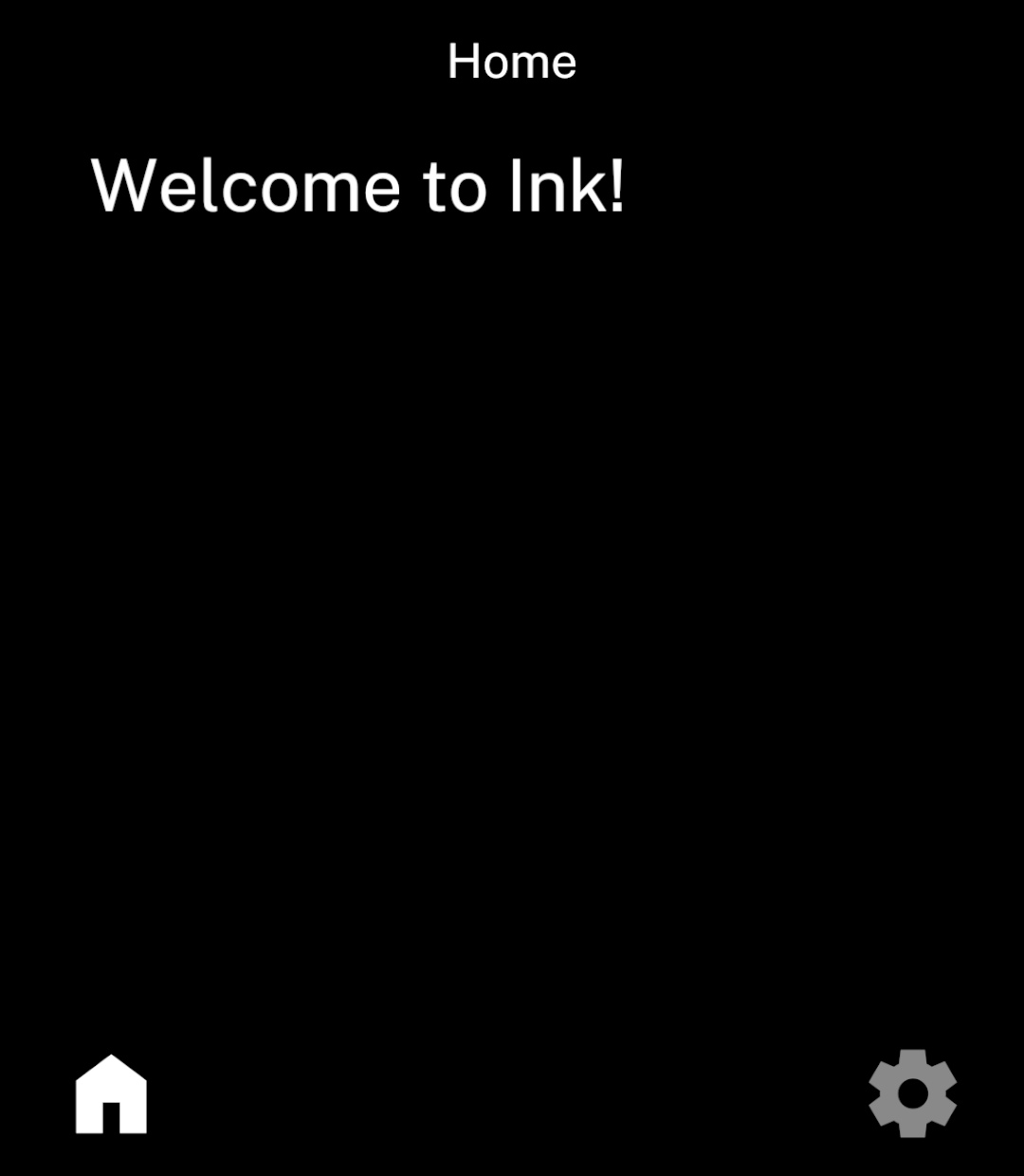
Each name refers to a neighbouring page. Keep detail pages outside the tab folder so they open above the tab bar. Nested directories and nested tabs are not supported inside a tab layout.
Tab-bar actions
Add Tabs.Action alongside the tab declarations for a button that opens another page:
<Tabs.Action icon={photoCamera} onPress={() => navigate("/scan")} />Import photoCamera from ink/icons and navigate from ink. Back returns from Scan to the selected tab. Actions keep the inactive colour and never become selected.
Show, hide and reorder tabs
Use React conditions or array mapping to choose tabs. Keep at least one visible tab; actions do not count. Give mapped tabs and actions stable keys.
| Change | Result |
|---|---|
| Reorder tabs | Keeps the selected tab and its state. |
| Remove a tab | Unmounts its content. Removing the selected tab selects the first remaining tab. |
| Navigate to an omitted page | Opens it without the tab bar. Back returns to the previous page. |
| Hide the index tab at startup | Opens the first visible tab without mounting the index page. |
Load saved tab preferences before rendering Tabs. Explicit navigation and incoming links can still open an omitted page. Actions follow declaration order but do not affect startup selection.
Tab history
Switching tabs preserves their state. Navigating to an existing tab group selects the tab and closes pages above it, without adding another copy of the group. This also applies to replace().
Screen state
Hidden pages and layouts keep React state and pause effects. Tabs also keep their scroll positions. Removing a page from the history unmounts it.
Use Store to keep data after the app closes. When saving a setting, await the update before back(); Ink shows the updated value as the previous screen returns.
External actions
import { openURL, share } from "ink";

await openURL("https://example.com");
await share({ text: "Hello from Ink" });
Web links open in an Android Custom Tab whose toolbar follows Ink’s colour scheme. Telephone links open the dialler; message links open a composer. Other app schemes use their installed handlers. Use Files and media to share attachments.
Without a Custom Tabs browser, web links open in the default browser. Both functions return promises. Cancellation resolves normally; missing handlers and native failures reject. File, content, script and intent URLs are not allowed.
These imports include the native external capability and browser package queries.